
Install Kali Linux and set up your own Hacking Lab
If you want to get to know the basics of IT security and pentesting, it is convenient that Kali Linux comes with a Linux distribution that includes a lot of too...
 Vincent Heinen Abteilungsleiter Offensive Services
 TL;DR
Setting up a personal hacking lab requires installing Kali Linux - ideally in a VirtualBox virtual machine using the official Offensive Security VM images - and then connecting it to additional target VMs via a host-only network adapter. Intentionally vulnerable platforms like Metasploitable and DVWA are well-suited as practice targets. Testing on your own isolated lab environment is legally required; only attack systems you explicitly own or have authorization to test.
Table of Contents (3 sections)
If you want to get to know the basics of IT security and pentesting, it is convenient that Kali Linux comes with a Linux distribution that includes a lot of tools. At the latest when the first basics are learned, you want to test them right away. That's why we'll look at how to install Kali Linux and set up your own small hacking lab.
Install Kali Linux (or not)
Basically, the whole thing works not only with Kali or other pentest distros , but also with most other distributions, if the appropriate tools are installed later. The big advantage is that with Kali you can use some tools "out of the box" without setting them up. Installing Kali Linux is basically relatively easy. You don't have to use a "real" computer, but can install and run your pentest distribution in a virtual machine. This is recommended, because you can back up such a system with snapshots and restore it in case of doubt. For Offensive Security, there are ready VM images, with which you can save yourself the installation. We use VirtualBox in this article.
Why an own Hacking Lab?
Setting up your own hacking lab is important so that you can test and train newly learned techniques without attacking real systems. This way you can prevent that you cause damage by testing security tools and possibly make yourself liable to prosecution. Only attacking your own systems is generally allowed! Just like installing Kali Linux, it is a good idea to use virtual machines, because with their help you can create a whole network of systems, which you can hack into without worries. 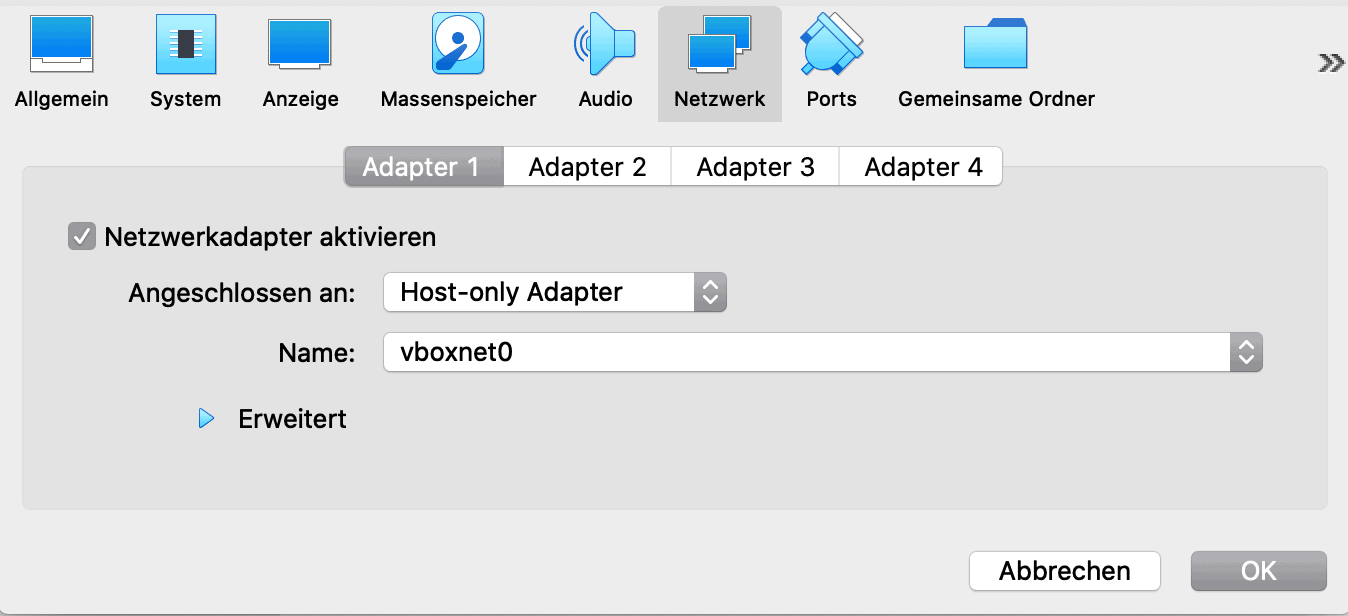
VMs must be configured so that they can contact each other. (Source: Screenshot VirtualBox)
Set up your own hacking lab
Installing Kali Linux is not enough, if you have set up a virtual machine as a hacking platform, you need to configure a few settings to allow it to contact other virtual machines. For this purpose we create a host-only network in Virtualbox under file -> Host-Only Network Manager. Usually the default settings can be kept. Then we set up a host-only adapter in the virtual machine settings, which is connected to the previously created network. If our pentest distribution is to have access to the Internet, it must also be equipped with a NAT adapter. 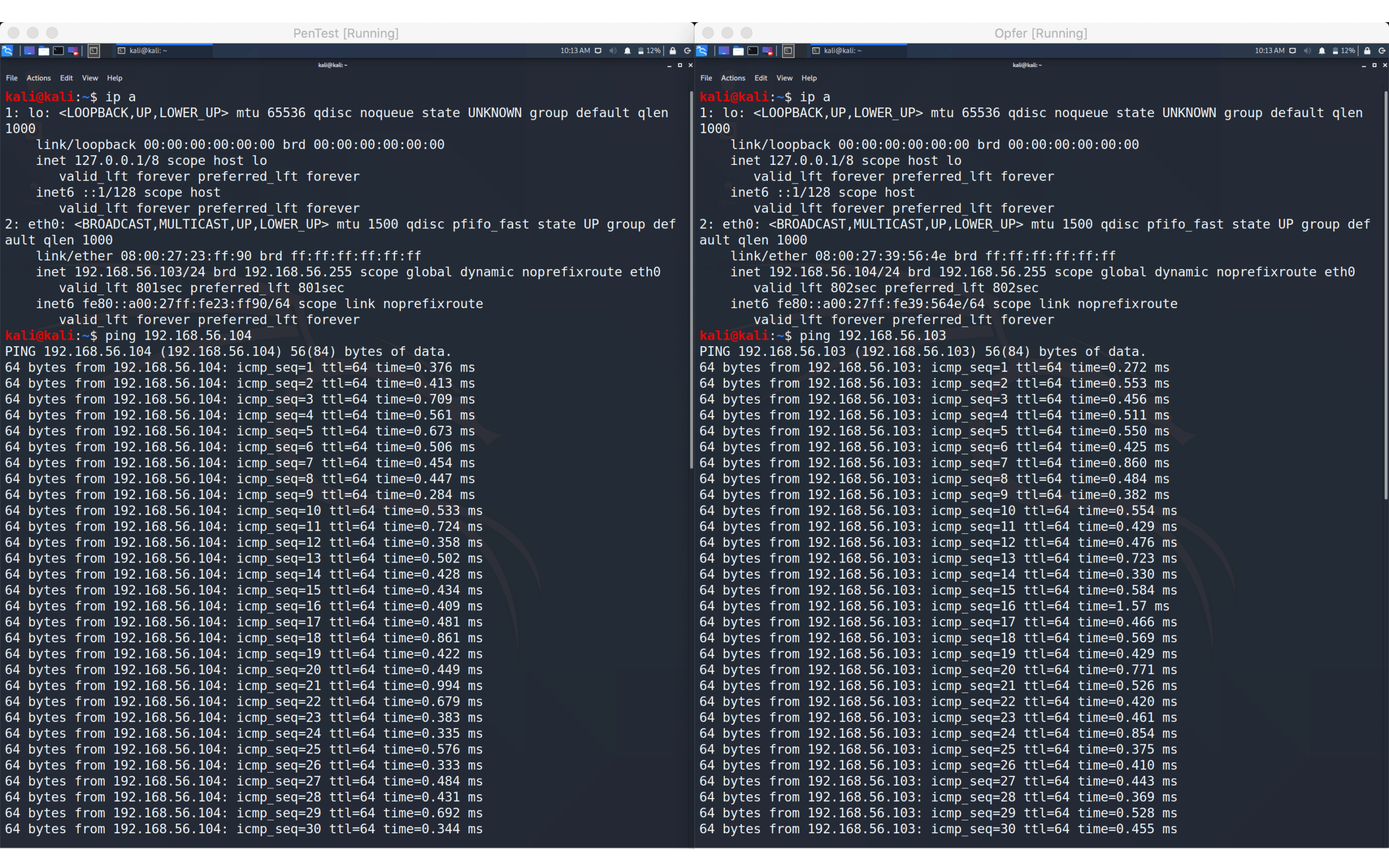
The two VMs can communicate with each other (Source: Screenshot Kali Linux) Now we create new VMs with the desired operating systems, all of which we connect to the host-only network we created. The easiest way is to clone the VM you just configured, this saves you the effort of reinstalling Kali Linux. Make sure that a complete clone is created with the Mac address policy "Generate new MAC addresses for all network adapters". Alternatively, Metasploitable and DVWA are intentionally insecure platforms or web apps that are intended for learning and testing.

Monthly Threat Report
Chris Wojzechowski bewertet einmal im Monat die aktuelle Bedrohungslage aus Sicht eines Informationssicherheitsexperten. Sein 30-köpfiges Team ist näher an realen Cyberbedrohungen dran als kaum jemand sonst — mit konkreten Handlungsempfehlungen, die Sie am nächsten Morgen umsetzen können.
Bestseller-Autor (Wiley-VCH) · M.Sc. Internet-Sicherheit · Bekannt aus Handelsblatt & WamS
Zuletzt behandelt
1x im Monat · Kein Spam · Jederzeit abbestellbar · Datenschutz
Next Step
Our certified security experts will advise you on the topics covered in this article — free and without obligation.
Free · 30 minutes · No obligation

