
Download GIFs and videos on Twitter
Many social networks include funny GIFs or even videos. Today we are launching a website where you can download GIFs and videos from Twitter!
 Chris Wojzechowski Geschäftsführender Gesellschafter
 TL;DR
GIFs and videos from Twitter can be downloaded using the free Twitter Video Downloader website. On desktop, copy the tweet URL from the address bar or right-click the media to copy its link, then paste it into the downloader to save the file as MP4. On mobile, use the tweet's share menu to copy the link, then visit the downloader in a browser. The post also recommends using Twitter lists to keep saved content organized.
Table of Contents (2 sections)
Videos or GIFs that are published on social networks can also be downloaded to your hard drive. In today's blog post we show a website that can download GIFs and videos from Twitter.
Download videos on Twitter - Twitter Video Downloader
The website where you can easily download GIFs and videos is called Twitter Video Downloader. The files you download from this website are downloaded directly to your PC or smartphone. To download a GIF or video from Twitter you need to follow these steps:
- Open Twitter in your browser on your PC or in the Twitter app
- In the next step we need the link of the file we want to download
- 1st method: Remove the link from the address line. To do this, open the GIF or video and copy the link from the address bar. First you have to open the post where the GIF or video is located. Then copy the entire address bar from your browser:
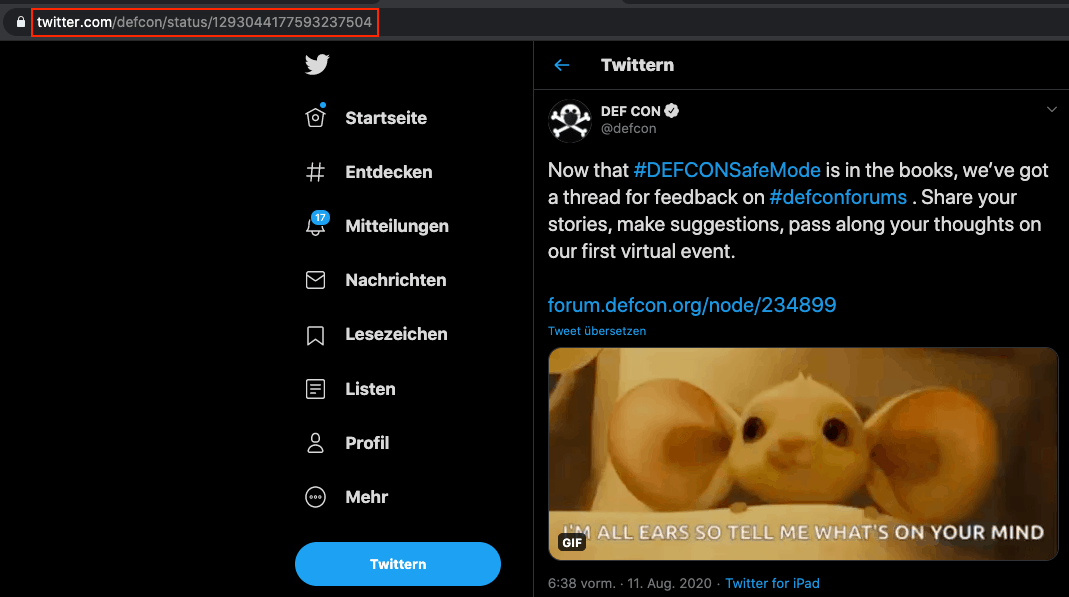
- 2nd method: Copy the link of the file by right clicking. As in the first method presented, you must first open the contribution that contains the GIF or video. Then you can right-click on the file and select: "Copy GIF address":
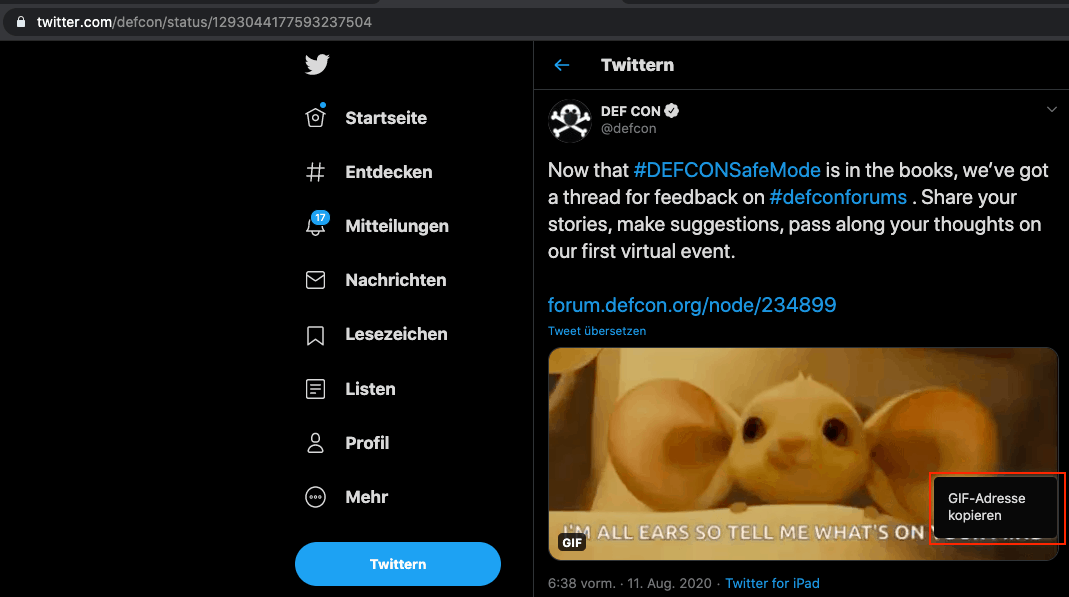
- 1st method: Remove the link from the address line. To do this, open the GIF or video and copy the link from the address bar. First you have to open the post where the GIF or video is located. Then copy the entire address bar from your browser:
- Now that we have copied the address of our destination file we can insert it into the Twitter Video Downloader. After we have inserted our address and clicked on Download, we can download the file as mp4.
Download via the Twitter app
In order to download GIFs or a video from Twitter, we first need the link of the tweet on the smartphone. To get the link of the GIF or the video via the Twitter app, you have to open the post where the target file is located. Then let the GIF or video play and click on the option button in the lower right corner. Different ways to share the tweet will open up. There is also the function "Copy link to tweet". Select this option and you have copied the link to the clipboard. Now go to the Twitter Video Downloader on your smartphone and you can download the file: 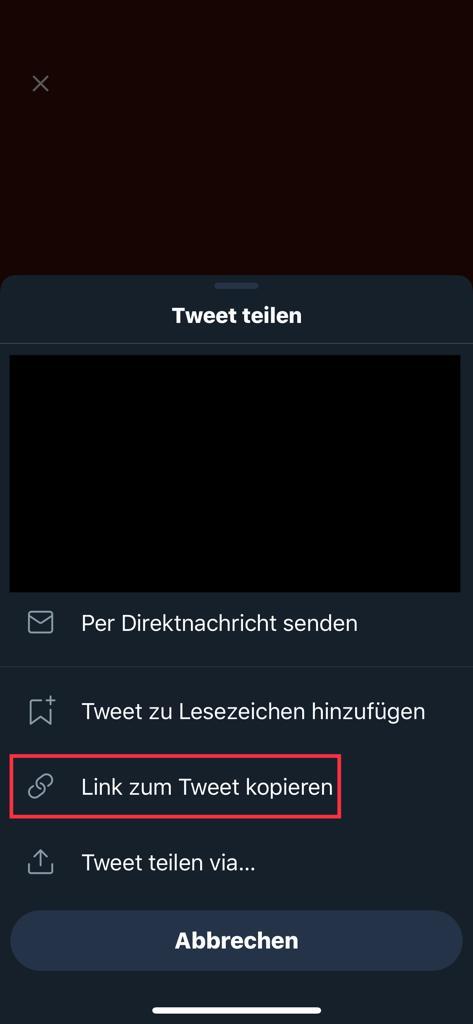 In order to keep exciting tweets and thus the GIFs and videos in your Twitter account clearly sorted, we recommend using so-called Twitter lists. How you can customize your feed according to your needs, we have discussed in detail in a previous blog post.
Monthly Threat Report
Chris Wojzechowski bewertet einmal im Monat die aktuelle Bedrohungslage aus Sicht eines Informationssicherheitsexperten. Sein 30-köpfiges Team ist näher an realen Cyberbedrohungen dran als kaum jemand sonst — mit konkreten Handlungsempfehlungen, die Sie am nächsten Morgen umsetzen können.
Bestseller-Autor (Wiley-VCH) · M.Sc. Internet-Sicherheit · Bekannt aus Handelsblatt & WamS
Zuletzt behandelt
1x im Monat · Kein Spam · Jederzeit abbestellbar · Datenschutz
Next Step
Our certified security experts will advise you on the topics covered in this article — free and without obligation.
Free · 30 minutes · No obligation

